
- Login and click
 Self Service > Student Center.
 - Under the Finances section, click on the link labeled ‘Account Inquiry.’
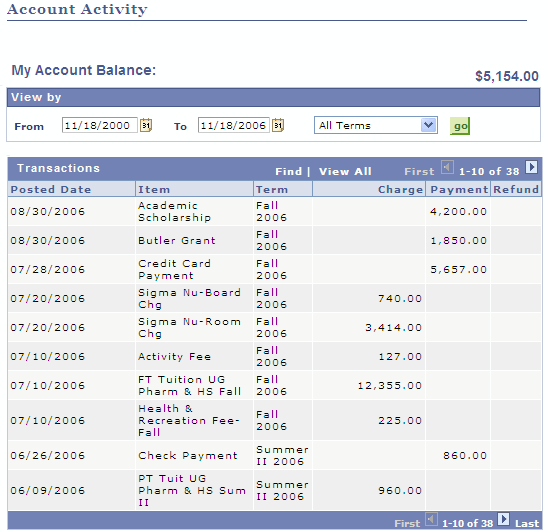
- On the resulting Account Activity page, the most recent postings are listed at the top. Use the
 and
and  buttons in the upper right corner to see additional activity, or use the date picker
  buttons next to the From and To boxes at the top of the screen to limit the display to a specific timeframe.
How do I view payments and charges to my account?
Permanent link to this article: http://blogs.butler.edu/mybutlerhelp/question/how-do-i-view-payments-and-charges-to-my-account/