
If this is the first time you’ve reviewed your personal information in the Student Center, you should take a moment to review and confirm your address information. You only need to do this once each school year.
- Login and click
 Self Service > Student Center.
 - In the Personal Information dropdown, choose ‘Verify Local Address’ and click the
 button.
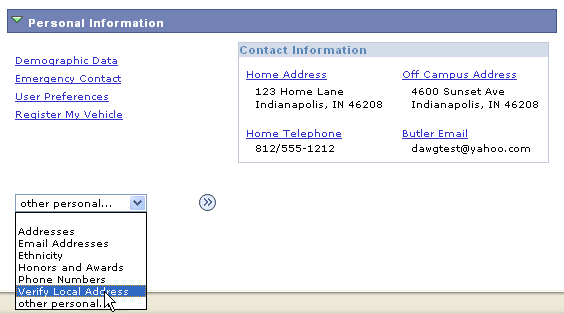
If your local address is correct
- A confirmation screen with your current local address appears.
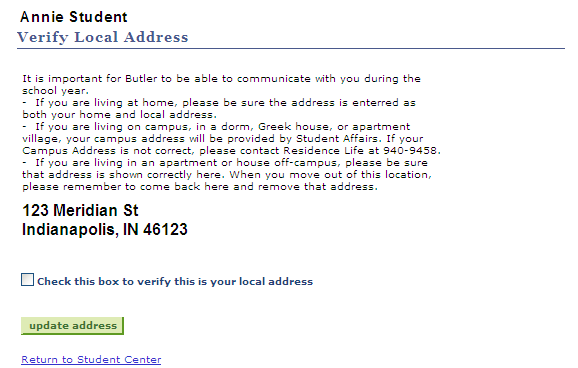
- Click the check box just below the address, then click the
 button that will appear below the checkbox.
If your local address is missing or wrong
- If you have no local address listed yet, you will see a confirmation screen with the following message.

You may also simply see a local address listed that is wrong. - Click on the
 button.
 - Follow the steps to add or edit your local address, being sure to save your changes.
- Return to the Student Center by selecting it from the Go to … dropdown and clicking the button.
- In the Personal Information dropdown, choose ‘Verify Local Address’ and click the button.
- Your local address should now display correctly. Click the check box just below the address to confirm, then click the button that will appear below the checkbox.